Skip to content
Epson I3200-A1 printhead

How to Make Your Epson I3200 Printhead Last Longer

By the Impact USA technical team

The printhead is the most expensive wear part in a DTF printer, and printheads aren't covered by warranty. How long an Epson I3200 printhead lasts depends far more on daily habits than on luck. Shops that keep the capping station, wiper and dampers in good shape, keep white ink moving and avoid head strikes get much more life out of their heads than shops that only react when nozzles drop out. This guide lays out a practical routine to protect your Epson I3200 printheads and your uptime.

OEM Epson I3200-A1 printhead for DTF printers

Why Epson I3200 printheads fail early

Most early head failures trace back to a few causes:

  • Dried or settled ink. DTF white ink uses titanium dioxide, a heavy pigment that settles when ink stops moving. Settled white can clog nozzles, filters and dampers.
  • A bad seal while parked. A worn cap top lets the nozzles dry out overnight.
  • A damaged wiper. A nicked or ink-caked wiper drags debris across the nozzle plate.
  • Air and debris in the ink supply. Tired dampers and leaking seals let air in and stop filtering ink properly.
  • Head strikes. Curled film or the wrong head height can physically damage the nozzle plate.
  • The wrong fluids. Harsh or incompatible cleaning fluids can damage a head. Our post on printhead delamination explains how layers of a head can separate.

The good news: every one of these can be reduced with routine maintenance.

Daily routine

  1. Print a nozzle check at the start of every shift. Save it so you can compare day to day. Catching a problem early is far easier than fixing it later.
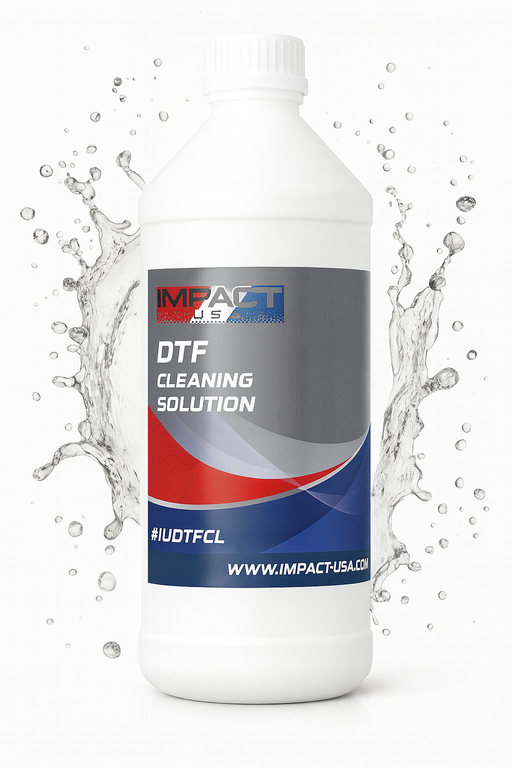
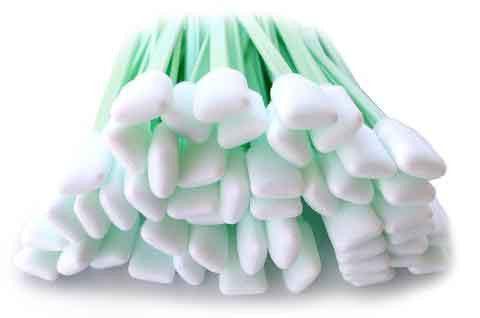
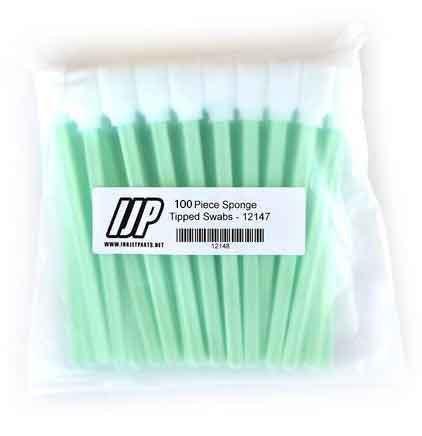
  2. Clean the cap top lip and the wiper with a cleaning swab and DTF cleaning solution made for Epson printheads. Never let white ink dry on the cap.
  3. Clean around the head, not the nozzle plate itself. Wipe ink buildup from the carriage and the edges around the head. Don't scrub the nozzle face.
  4. Check the white ink circulation and agitation. White should be moving whenever the printer is on.
  5. Run only the cleanings you need. Use a light cleaning for minor dropouts. Repeated strong cleanings use ink and add wear.

Weekly checks

  • Inspect the cap top for cracks, swelling or a hardened lip.
  • Inspect the wiper for nicks, curling or caked ink.
  • Look at the dampers. A damper that's bone dry, completely packed or full of air needs attention.
  • Check the waste ink line during a cleaning. Ink should flow to the waste tank. If it doesn't, the cap or pump has a problem.
  • Shake or stir white ink before refilling, following the ink maker's instructions.

Replace wear parts on a schedule

Cheap wear parts protect the expensive one. Don't wait until they fail.

Keep a simple log with the date of every part change. After a few months you'll know exactly how long each part lasts at your print volume.

Keep white ink moving

White ink is the biggest threat to an Epson I3200 printhead in a DTF printer. Keep circulation running, or set it on a timer if your printer supports it, and keep the circulation pump and lines in good condition. Our DTF white ink circulation guide explains the parts involved.

Avoid head strikes

  • Keep film flat and loaded square. Curled edges are a common cause of strikes.
  • Store film properly so it doesn't absorb moisture and warp.
  • Set the head height your printer's manual calls for, and don't lower it to chase sharper prints.
  • Stop the printer right away if you hear the head touching the film.

Control your print room

Heat, dry air and dust all shorten head life. Follow your printer manufacturer's temperature and humidity requirements, keep the room clean and keep the printer away from heaters, open doors and direct sunlight. Our post Your Print Environment Sucks goes into more detail.

Don't let the printer sit

An idle DTF printer is a risk to the head. If the printer will be off for more than a day or two, follow your manufacturer's storage steps. Don't turn it on after a long break and expect it to print perfectly. Run a nozzle check and cleaning first.

Install a new head the right way

When a head does need replacing, fit a new cap top and dampers at the same time. Old dampers can push debris and dried white ink straight into a brand-new head. Our Epson I3200-A1 printhead kit bundles the head with a cap top and a damper 5-pack for this reason. Power the printer off before connecting head cables, and make sure every cable is seated fully and squarely. If you'd rather have help, installation and training are available as paid services. Before you replace a head at all, work through our DTF printhead replacement checklist.

Frequently asked questions

Store-written FAQs from the Inkjet Parts team, not customer submissions.

How long does an Epson I3200 printhead last?
It varies widely with print volume, ink and maintenance. A steady routine of caps, wipers, dampers and white ink circulation makes the biggest difference.
Are Epson I3200 printheads covered by warranty?
No. Printheads are not covered by warranty, which is why routine maintenance matters so much.
How often should I replace dampers?
Our I3200 damper 5-pack listing recommends every 3 to 6 months depending on print volume, or right away when print quality problems show up.
Can I clean the nozzle plate with a swab?
Clean around the head and the cap, not the nozzle face itself. Wiping the nozzle plate can damage it.

Shop Epson I3200 maintenance parts

Protect your uptime. Call our technical team at 844-571-8171 or email sales@inkjetparts.com with your printer model and a nozzle check photo. Orders placed before 3:45 PM PT ship the same day from Ontario, California.

Next article Sublimation Ink Buying Guide for Wide-Format Printers

Leave a comment

Comments must be approved before appearing

* Required fields

Shop this

Shop DTF supplies
Customer Reviews