By the Impact USA technical team
When a Roland SP-300i or SP-300V starts dropping nozzles, it's tempting to order a new printhead right away. Sometimes that's the right call. Often it isn't. A worn cap top, a dirty wiper or a tired damper can make a healthy head look dead. This guide walks you through how to confirm the printhead is really the problem, which head your VersaCAMM uses, how to prepare for the swap and what to do after the new head is in.

Which printhead do the SP-300i and SP-300V use?
The Roland VersaCAMM SP-300, SP-300i and SP-300V use a DX4 printhead. Our OEM Roland DX4 printhead, part number 1000002201, is listed for the SP-300, SP-300i, SP-300V and SP-540V, along with the VP-300, VP-540, XC-540 and several other Roland models. The listing describes it as a 360 dpi native-resolution head with 2 nozzle lines and 180 nozzles per line.
Before you order, check the part number on your current head or in your service records. Confirming the exact part number and printer model is the fastest way to avoid ordering the wrong part.
Step 1: Confirm the printhead is really the problem
A printhead is the most expensive part in the carriage, so rule out the cheaper parts first. Work through this checklist in order.
-
Print a nozzle check and save it. Note which colors and which nozzles are missing. Take a photo so you can compare after each step.
-
Run a normal cleaning, then print another check. If the missing nozzles move around or come back, the head is probably fine and something upstream or downstream is the issue.
-
Inspect the cap top. A cracked, hardened or ink-crusted cap can't seal the head or pull ink during cleaning. The Roland SP-300V / SP-540V cap top (1000004546) is a common wear part on these printers.
-
Inspect the wiper. A nicked or ink-coated wiper smears the nozzle plate instead of cleaning it. Our Roland DX4 wiper (1000003390) is listed for the SP-300, SP-300i and SP-300V.
-
Check the dampers. If one color drops out again minutes after a cleaning, or you see air in the damper, the damper may be starving the head. See the Roland DX4 damper for these models.
-
Look at the head cable. A creased or poorly seated cable can cause whole rows to fire badly or not at all. The Roland SP-300 head cable (23475214) is listed for this machine.
If you've replaced or ruled out the cap, wiper, dampers and cable and the same nozzles stay dead through repeated cleanings, the head itself is the likely cause. Physical damage to the nozzle plate, from a head strike or from wiping it with the wrong tool, also points to replacement. Our older post Is My Printhead Good or Bad? covers more of the warning signs.
Step 2: Prepare before the old head comes out
A head swap goes much more smoothly when everything is ready before you start.
-
Read the Roland service documentation for your model. Steps and menus vary between the SP-300, SP-300i and SP-300V, and between firmware versions.
-
Have the right parts on the bench. Plan to replace the cap top, wiper and dampers at the same time as the head (more on that below).
-
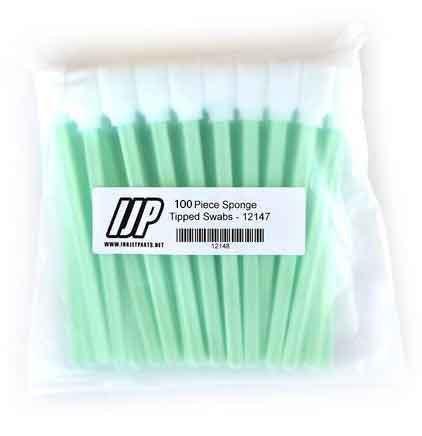
Gather supplies. Nitrile gloves, lint-free cloths, cleaning swabs, a syringe and the cleaning liquid that matches your ink.
-
Back up your settings. Write down your media settings, head height and any adjustment values you've changed so you can return to them later.
-
Power down and unplug the printer. Never connect or disconnect a head cable with the printer powered on.
Step 3: Replace the printhead
Follow Roland's procedure for your exact model. In general, a DX4 head swap on these printers looks like this:
-
Move the carriage to the service position and power off the printer.
-
Remove the covers needed to reach the carriage and head.
-
Disconnect the dampers or ink lines one at a time and keep track of which color goes where. Have cloths ready for drips.
-
Disconnect the head cables carefully. Lift the connector locks; don't pull on the ribbon itself.
-
Remove the mounting screws and lift the old head out. Note the position of any shims or adjustment parts so they go back the same way.
-
Fit the new head without touching the nozzle plate or the cable contacts. Reconnect the cables fully and squarely. A cable that's slightly off can damage a new head.
-
Fit new dampers and reconnect the ink lines to the correct colors.
-
Reinstall the covers, power on and run the printer's ink fill or head-replacement routine.
Step 4: Adjust and test after installation
-
Print a nozzle check. A few missing nozzles right after a fill are common. Run a normal cleaning and check again before you worry.
-
Run the head alignment and feed adjustments from the printer's menu. A new head almost always needs fresh alignment values.
-
Print a test image on your usual media and compare it with a print from before the problem started.
-
Write down the date and the part numbers you installed. A maintenance log makes the next service much easier.
Replace the wear parts with the head
Installing a new printhead next to an old cap top, wiper and dampers is a common mistake. Old dampers can hold debris and partly dried ink that goes straight into the new head. A worn cap won't seal it overnight. A damaged wiper can scratch the nozzle plate on the very first cleaning. Replacing these parts together protects your investment in the new head. You can find them all in our Roland VersaCAMM SP-300i printer parts collection.
Habits that help a Roland DX4 head last
- Leave the printer on so it can run its automatic maintenance, unless your manual says otherwise.
- Print a nozzle check at the start of every day.
- Keep the cap top and wiper clean, and replace them before they wear out.
- Set the correct head height for thick or curled media to avoid head strikes.
- Stick with one ink type and follow the correct changeover procedure if you ever switch.
Frequently asked questions
Store-written FAQs from the Inkjet Parts team, not customer submissions.
- Do the SP-300i and SP-300V use the same printhead?
- Our OEM Roland DX4 printhead (1000002201) is listed for the SP-300, SP-300i and SP-300V. Confirm the part number on your current head before ordering.
- Should I replace the dampers when I replace the head?
- Yes. Old dampers can pass debris and dried ink into a brand-new head. Replace the cap top and wiper at the same time if they're worn.
- Is the printhead covered by a warranty?
- No. Printheads are not covered by warranty, so it pays to rule out the cap, wiper, dampers and cable first.
- Can you install the head for me?
- Installation and training are available as paid services. Call 844-571-8171 to ask what's available for your printer.
Shop Roland SP-300 parts
Not sure the head is the problem? Call our technical team at 844-571-8171 or email sales@inkjetparts.com with a photo of your nozzle check. Orders placed before 3:45 PM PT ship the same day from our warehouse in Ontario, California. Most supplies can be returned within 30 days, and printheads are not covered by warranty.



Leave a comment