By the Impact USA technical team
The capping station is the part of your Mimaki JV150 that does its work while you're not looking. Every time the carriage parks, the cap top seals against the printhead to keep the nozzles from drying out. During a cleaning, the cap and pump pull ink through the head to clear clogs. When the cap top wears out, nozzle problems start showing up that look like a failing printhead. This guide covers the warning signs, a simple checklist to test the station, and which parts to replace on JV150, JV300, CJV150 and CJV300 printers.


What's in a JV150 capping station
-
Cap top. The rubber-lipped cup that seals against the nozzle plate. Our OEM Mimaki JV150 / JV300 / CJV150 cap top (MP-M905240) is listed for the JV150, JV300, CJV150 and CJV300 series, plus the JV33, JV5 and CJV30.
-
Cap sponges (CP pad assy). The absorbent pads inside the cap that soak up ink during cleaning and help the cap seal. Mimaki part SPA-0257.
-
Pump and tubing. The pump pulls ink and cleaning liquid through the cap and out to the waste tank. Our Mimaki JV300 / JV150 / TxF pump assy is the replacement.
-
Wiper. The blade that wipes the nozzle plate after a cleaning. The Mimaki wiper blade SPA-0134 is listed for the JV150, JV300, CJV150 and CJV300.
These parts work as a team. A new cap top won't help much if the pump can't pull, and a perfect pump can't fix a cap that won't seal.
7 signs your capping station needs attention
-
Nozzles drop out overnight. The printer was parked and capped, but the morning nozzle check is worse than last night's. That usually means the cap isn't sealing.
-
Cleanings don't recover nozzles. You run cleaning after cleaning and the same nozzles stay missing or keep moving around.
-
No ink flows to the waste tank during cleaning. If the waste tube stays dry, either the cap isn't sealing, the cap or tube is blocked, or the pump is weak.
-
The cap lip is cracked, swollen, hardened or crusted with ink. Any damage to the sealing edge breaks the seal.
-
The cap sponges are hard or stained all the way through. Saturated pads can't absorb ink and can stop the cap from seating properly.
-
Ink pools in the cap and doesn't drain. This points to a blocked cap outlet, a clogged tube or a failing pump.
-
Streaks or ink drips on prints after a cleaning. This is often a worn wiper, but a dirty cap can leave ink on the head face too.
If you see two or more of these together, inspect the whole station before you blame the printhead.
Quick capping station test
Use your printer's station maintenance or carriage-out function from the maintenance menu so you can reach the cap safely. Then work through these checks.
-
Look closely at the cap lip with a flashlight. It should be smooth, flexible and even all the way around.
-
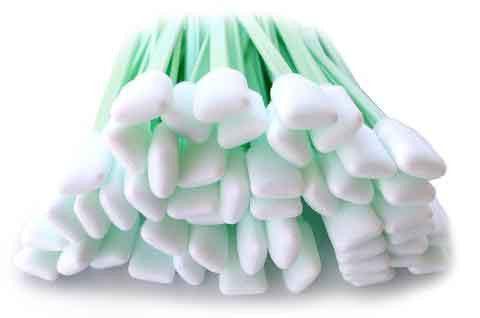
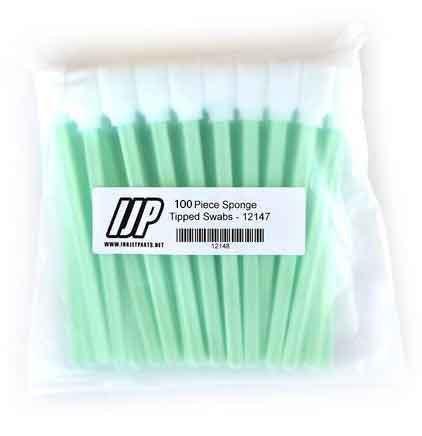
Clean the cap with a cleaning swab and the maintenance liquid that matches your ink. For water-based and sublimation inks, Mimaki's FL003 flushing liquid and SPC-0631 washing liquid are listed for the JV150. Eco-solvent machines need the liquid made for their ink.
-
Test the suction. Put a small amount of the correct maintenance liquid into the cap and run a cleaning or the station's pump function. It should drain steadily. If it sits in the cap, check the tubing and pump.
-
Check the sponges. They should still be soft. Hard or saturated pads need replacing.
-
Check the wiper for nicks, curling or caked ink.
-
Return the carriage, cap the head and print a nozzle check. Leave the printer capped overnight and print another check in the morning. If nozzles still drop out, it's time to replace parts.
How often to replace the cap top
There's no single interval for every shop. It depends on how much you print, which ink you use and how well the station is cleaned. Our listing for the OEM Mimaki cap top says it can clog over time and should be replaced every few months to keep print quality up, and that regular cap cleaning helps it last longer. The Mimaki wiper listing suggests replacement every 1 to 3 months depending on how often the printer runs.
A good rule: replace the cap top and sponges together, and replace the wiper at the same time or sooner. Keep a simple log of the date of each change so you can see how long the parts really last in your shop.
How to replace the JV150 cap top
Follow Mimaki's documentation for your exact model. In general:
- Move the carriage out of the station using the maintenance menu.
- Wear gloves and lay lint-free cloths around the station to catch drips.
- Remove the old cap top and note how it sits and how the tube connects.
- Clean the cap holder area.
- Fit the new cap top and sponges so they sit flat and level, and reconnect the tube.
- Return the carriage, run a cleaning and print a nozzle check.
Keep the station healthy
- Clean the cap lip and wiper as part of regular maintenance, not only when problems start.
- Don't let the printer sit unused for long stretches. Follow Mimaki's storage steps if it must sit.
- Use the maintenance liquid that matches your ink.
- Keep the waste tank emptied so it never backs up.
For more on keeping Mimaki heads healthy, read our Mimaki printhead maintenance post.
Frequently asked questions
Store-written FAQs from the Inkjet Parts team, not customer submissions.
- Does the JV150 use the same cap top as the JV300?
- Our OEM Mimaki cap top MP-M905240 is listed for the JV150, JV300, CJV150 and CJV300 series. Check your model against the compatibility list on the product page.
- Can I just clean the cap instead of replacing it?
- Cleaning helps a cap that's dirty but undamaged. A cracked, swollen or hardened lip can't seal, so it needs replacing.
- Should I replace the cap sponges too?
- Yes. Hard or saturated sponges can stop a new cap from working properly, so replace them together.
- What if nozzles still drop out after a new cap?
- Check the pump suction, wiper and dampers next. Call 844-571-8171 and we'll help you track it down.
Shop Mimaki JV150 parts
Not sure which part is failing? Call our technical team at 844-571-8171 or email sales@inkjetparts.com with your model and a nozzle check photo. Orders placed before 3:45 PM PT ship the same day from Ontario, California.


Leave a comment